Logo
  • PHP
    • HipHop / HHVM
    • Modern PHP
    • PHPStorm
    • LAMP
    • Laravel
    • Composer
    • PDO
  • JavaScript
    • node.js
    • AngularJS
  • CSS
    • SASS
    • “CSS4” (CSS level 4)
  • HTML
  • Git
  • LAMP
  • Vagrant
  • UI / UX
  • Architecture of …
  • Off-Topic
With ♥ from Berlin
December 23, 2014
Chris
Bootstrap, LAMP, Local Development, mini, PHP
Comments Off on Install MINI in 30 seconds inside Ubuntu 14.04 LTS

Install MINI in 30 seconds inside Ubuntu 14.04 LTS

PreviousNext

This is a guideline on how to install MINI – an extremely simple naked PHP application – more or less automatically inside Ubuntu 14.04 LTS with just some very simple copy&paste-commands on the command line. The best thing: This will also automatically install Apache, PHP, MySQL, PHPMyAdmin, git and Composer, set a password in MySQL and PHPMyadmin and even inside the application code, download the Composer-dependencies, activate mod_rewrite and edit the Apache settings, download the script itself from GitHub and run the demo SQL statements (for demo data). This is 100% automatic (needs 30 seconds of work and +/- 5 minutes of automaticly running tasks), you’ll end up with a fully running installation of MINI. You can thank me later :)

Ah, and disclaimer: This is just the most simple possible setup, made for a quick preview and easy-to-start-with development. Here we use weak passwords, root access etc., so keep that in mind.

1. Log into your server. This script is made for a real, fresh and naked server running Ubuntu 14.04 LTS, not for 12.04, not for CentOS, not for shared hosting. Please don’t write comments and support requests saying “this does not work on my Godaddy hosting”. A developer dies every time somebody uses shared hosting or outdated linux versions.

2. Download the installer script:

wget https://raw.githubusercontent.com/panique/mini/master/_vagrant/bootstrap.sh

3. Make the script executeable:

chmod +x bootstrap.sh

4. Run the script, make sure you’re running it as sudo (otherwise you’ll have a broken installation):

sudo ./bootstrap.sh

Then the installer will run for some minutes, downloading and installing all the stuff, setting the passwords etc. When the script has finally stopped you’ll see “Voila!” on your shell.

The password for the MySQL root user and PHPMyAdmin is “12345678”.

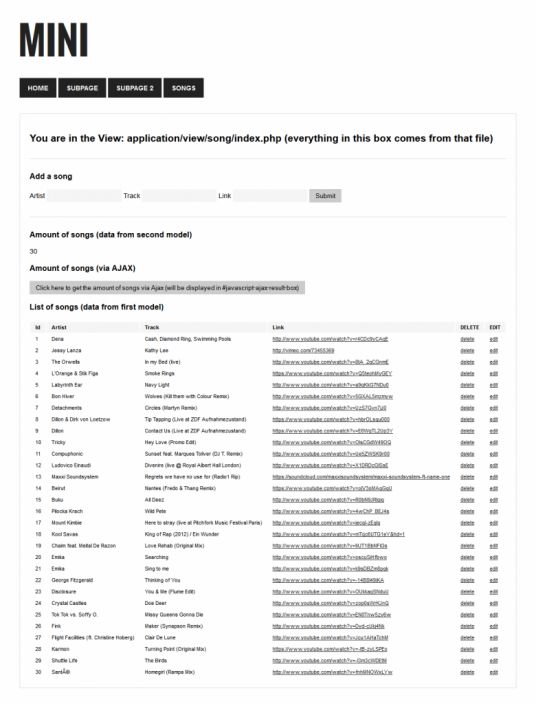
Check your IP in the browser and you’ll (hopefully) see a running installation of MINI:
MINI

frameworkMVCPHP
Share this
php

Test out PHP 5.6alpha1 on Windows 7 / 8 with two clicks

The popular Apache-MySQLP-PHP stack EasyPHP has become very professional, maintained and especially modularized in the last 2 years, and when

phpstorm-github-code-color-syntax-theme

Get Github’s code colors in PHPStorm (2014 style)

I really love the colors on GitHub’s code previews but couldn’t find any themes that copy that in a beautiful

php

Postmodern PHP: appserver.io, a multithreaded application server for PHP, written in PHP

There’s a lot of very interesting stuff going on in the PHP scene right now, I have the feeling this

How to fix the ugly font rendering in Google Chrome

Update, August 2014: Google has rolled out Chrome 37, which finally fixes this issue nativly. Yeah! For historical reasons the

PHPStorm: 42 Tips and Tricks (47min video talk by Mikhail Vink at Dutch PHP Conference 2015)

To be honest I’ve not seen the clip yet, but it sounds so awesome and everybody is upvoting it. Have

php uk conference

Profiling PHP Applications by Bastian Hofmann (video from PHP UK Conference 2014)

The title says it all: Profiling PHP applications.  

Frontend Ops Conf 2014 – Sarah Goff-Dupont: Git, Continuous Integration and Making It Pretty (31min video)

hack-php

Facebook releases HipHop (HHVM) 3.0, adds mysqli and support for Hack language

Lots of movement in the PHP world these days! After releasing Hack (a dramatically improved fork of the entire PHP

Useful basic linux stuff: Show kernel version, distribution name and distribution version on Ubuntu systems

Always nice to know: Show kernel version: uname -r Show kernel version and CPU: uname -a Show distribution version: lsb_release

atomic-design

An introduction into Atomic Design, a super-clean way to style web applications

A super-interesting talk of Brad Frost at beyond tellerrand 2013, explaining the basics of Atomic Design: What is Atomic Design

1/4

Categories

Search

php
How to setup / install PHP 5.6 on Ubuntu 14.04 LTS
php
[Link] Excellent PHP best practices, 2014 style
js javascript
JavaScript Testing Tactics (21min video by Justin Searls)
phpstorm 7.0 php
How to debug code on a remote server (or in vagrant box) with PHPStorm
Symfony devs: Creator of Symfony framework is hiring (Cologne, Germany)!
phpstorm 7.0 php
How to setup and use XDEBUG with PHPStorm 6/7 (locally in Windows 7/8 and Mac OS X)
battlefield-3-free
Electronic Arts / Origin offers Battlefield 3 for free (limited promo action) !
phpstorm 7.0 php
PHPStorm 7 has been released!
Ghost
[FREE SERVER PROMO] Install GHOST for free on a free SSD server with this coupon
php ide
Sitepoint asks for your favourite PHP IDE – take part!
Create a fast, perfect and bootable 1:1 Windows backup (full clone of HDD) for SSD migration
gamescom 2014 trailers
GAMESCOM 2014: Awesome Next-Gen ingame graphics
vagrant
A preinstalled Vagrant box with PHP HipHop / HHVM and Ubuntu 12.04 (Precise Pangolin)
php
How the PHP session garbage collector really works
sass laravel
Extremely easy SASS in Laravel (with pure PHP)

Tags

apache bash centos composer conference coupon CSS debian fonts framework git GitHub hack HHVM HipHop HTML HTML5 IDE JavaScript JS LAMP laravel linux mod_rewrite MVC MySQL Nginx optimization PHP PHP 5.5 PHP 5.6 phpmyadmin PHPStorm security server SSD Ubuntu UI UX vagrant video virtual machine voucher VPS wordpress
Side-Project: Wordle-Solver:
www.wordle-helper.info

Pages

  • Privacy Policy